هَذَا ذِكْرٌ وَإِنَّ لِلْمُتَّقِينَ لَحُسْنَ مَآبٍ
Android, iPhone and Mac. No purchase, no subscription, no advertising.
- Free forever
- No advertising
- No account
- Works offline
One app, wherever you read
Available for Android, iOS, Windows, macOS
Phone
One leaf, turned right-to-left. Everything works with the network off.
Tablet and wide windows
Two facing leaves with a spine between them, the way a bound mushaf opens.
Mac
A menu bar item with a live countdown to the next prayer, and a click-down panel with the day's times.
Home screen widgets
Prayer times and the next occasions in the Islamic calendar, drawn natively on Android and iPhone, in your language and your lighting.
«راجع تلاوتي»
A mushaf that listens, not one that only shows
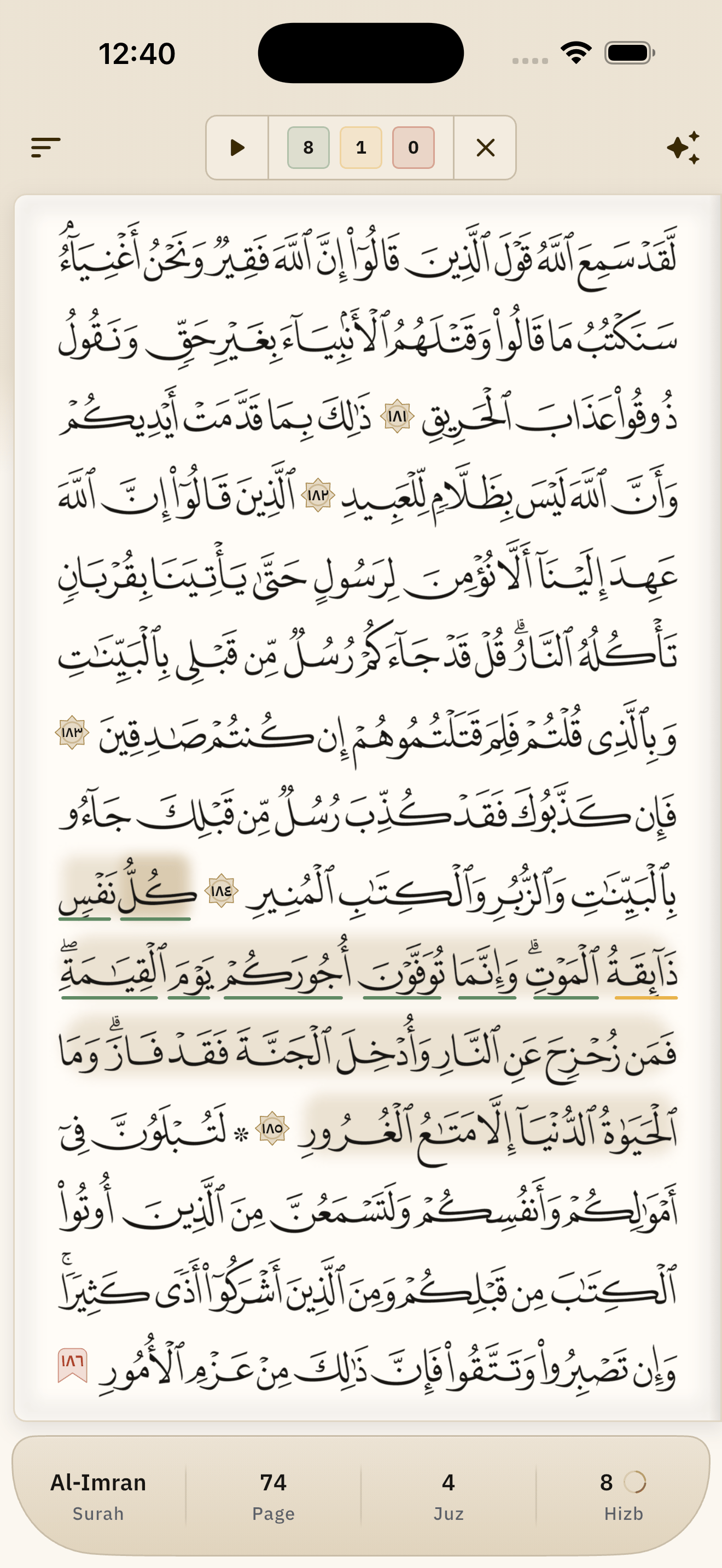
Most Qur'an apps are readers: they show the text, they play a recitation, and the person memorising is left alone with it. What they actually need is someone who listens while they recite. Press the button and read the open page aloud: every word is marked as you say it, and the tally of the right ones runs in the top bar as you go. Reach the foot of the page and it turns itself.
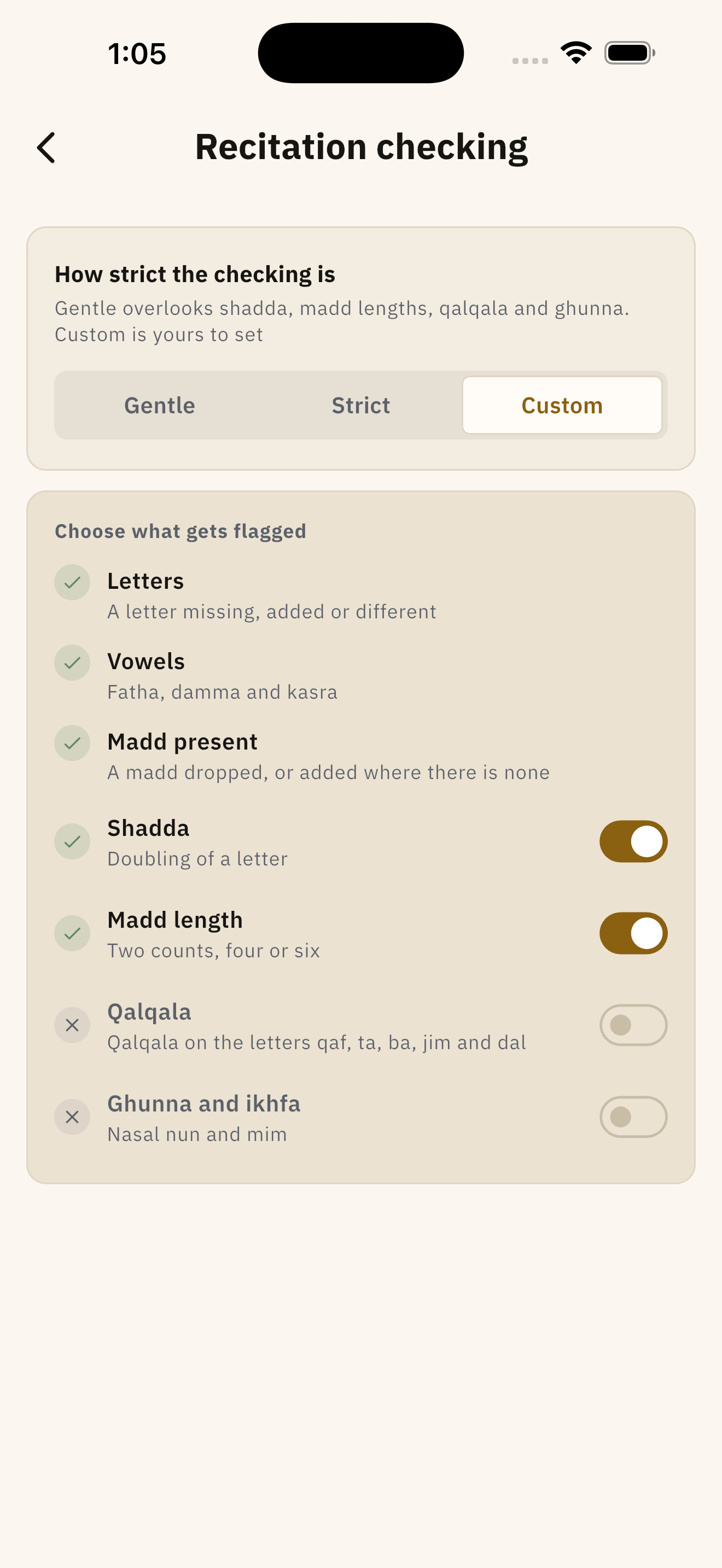
Three levels of strictness
- Gentleمُيسّر
- Overlooks shadda, madd lengths, qalqala and ghunna.
- Strictمُشدّد
- Insists on all seven rules.
- Customمُخصَّص
- Yours to set, rule by rule.
The seven rules it can check
- Letters
- Vowels
- Madd present
- Shadda
- Madd length
- Qalqala
- Ghunna and ikhfa'
«قد أخطئ في التصحيح، ولا أُغني عن شيخ يسمع منك»I can get the checking wrong, and I am no substitute for a teacher who listens to you.
The printed mushaf
604 pages, exactly as they were printed
The approved pages of the Madinah mushaf, drawn rather than set as text: the surah bands, the quarter marks, the printed frames, and every word where it sits on the paper. Leaves turn right to left the way a mushaf turns, and closing the app brings you back to the same leaf and the same verse you stopped at.
- Two printings, both inside the app
- Madinah Mushaf 3 and the edition optimised for phones. Your place, your marks and your sessions stay the same across both.
- Paper mode
- A cut paper surface instead of glass, and quiet grey ink with no colour in it — easier on the eye in a long sitting.
- Every word has coordinates
- The words are drawn where they sit on the paper, each with coordinates of its own — which is what lets a recitation be marked word by word, and a tap know which word is under it.
Listening
Thirteen recitations, and the page is the scrubber
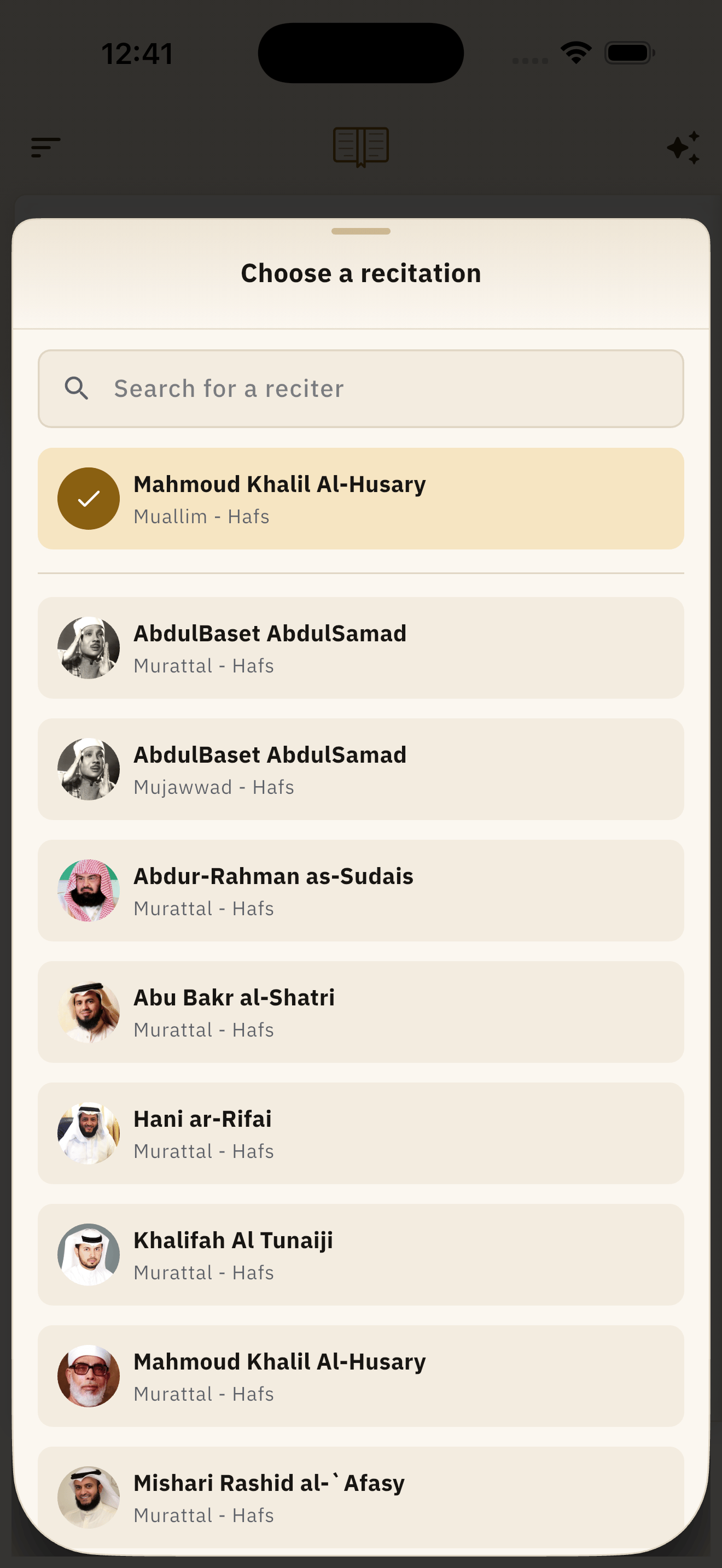
Ten reciters, all Hafs from Asim: murattal, mujawwad, teaching, and one call-and-response for children. Light a word and press play and the recitation starts from that word rather than from the top of the surah, the highlight follows word by word, and the leaf turns itself when the audio crosses onto the next page.
- Speed and repetition
- Slow, normal and fast, and a verse repeated anywhere from once to ten times.
- Response time
- The player falls silent after each verse for as long as the verse took, so that you can say it back.
- Plays with the phone locked
- With the full set of controls on the notification screen.
- Download it and it works offline
- A surah at a time or all of them at once, then played from your own device.
Study
Five books, at any word
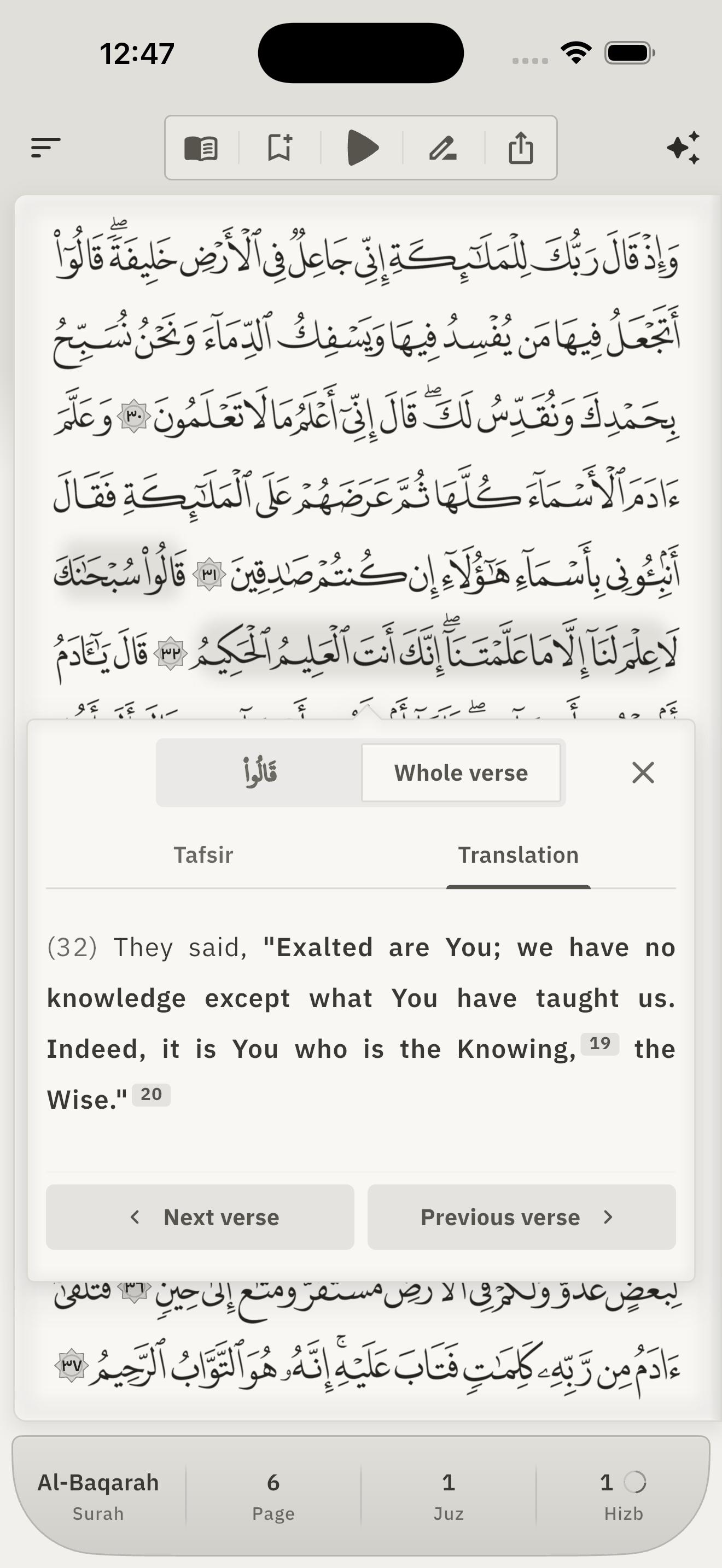
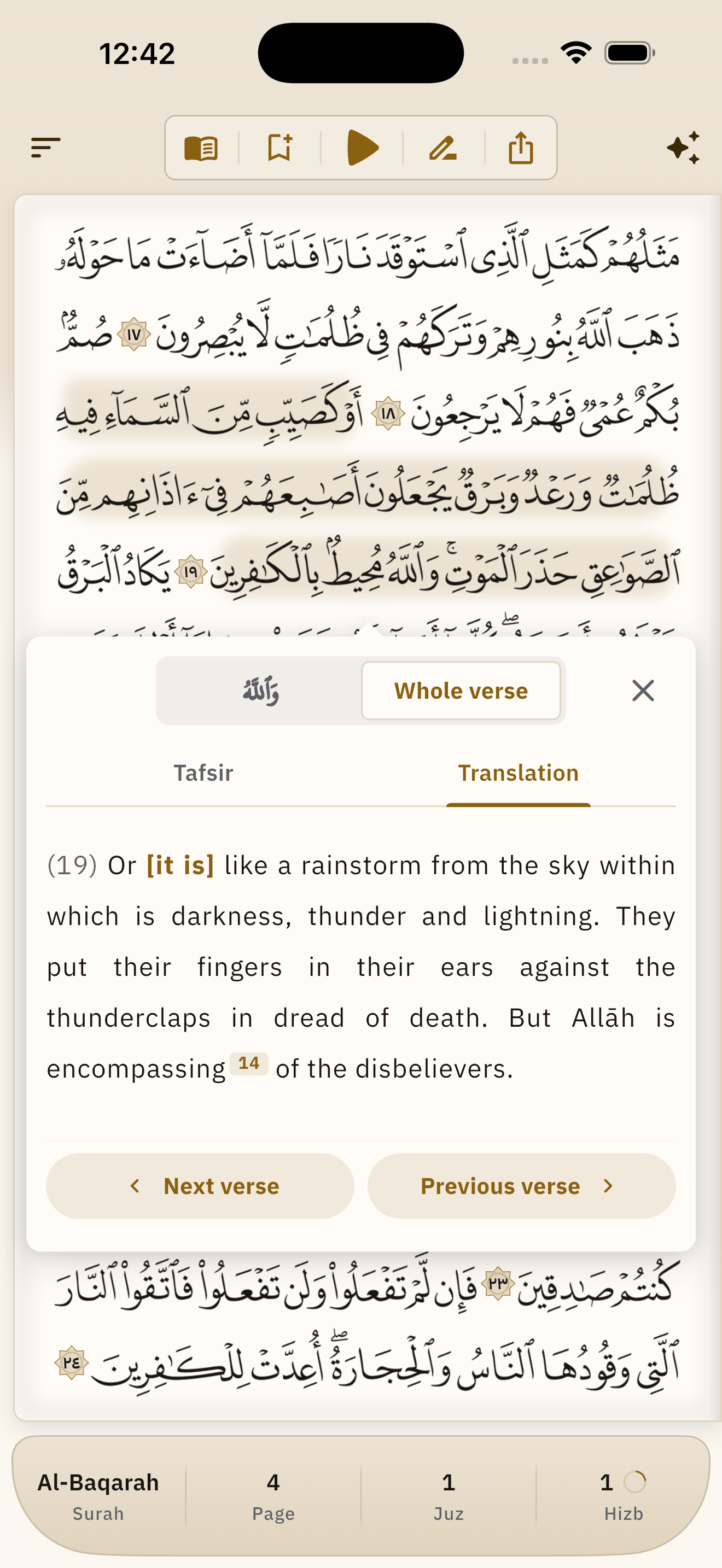
Press and hold a word and the panel opens: the verse written word by word in the mushaf's script, with a switch between the single word and the whole verse. The two arrows walk you through the mushaf a word or a verse at a time, crossing surah boundaries, and the page underneath follows you.
- What is in the panel
- Al-Tafsir al-Muyassar, the Sahih International translation, the i'rab of the Qur'an, the meanings of the words, and their morphology.
- From the word to the verse
- One switch moves you between what a single word means and what the whole verse says.
- And your place survives it
- You walk the mushaf from inside the panel, and the page behind it keeps up with you.
Khatma
Say when you will finish; it divides the reading
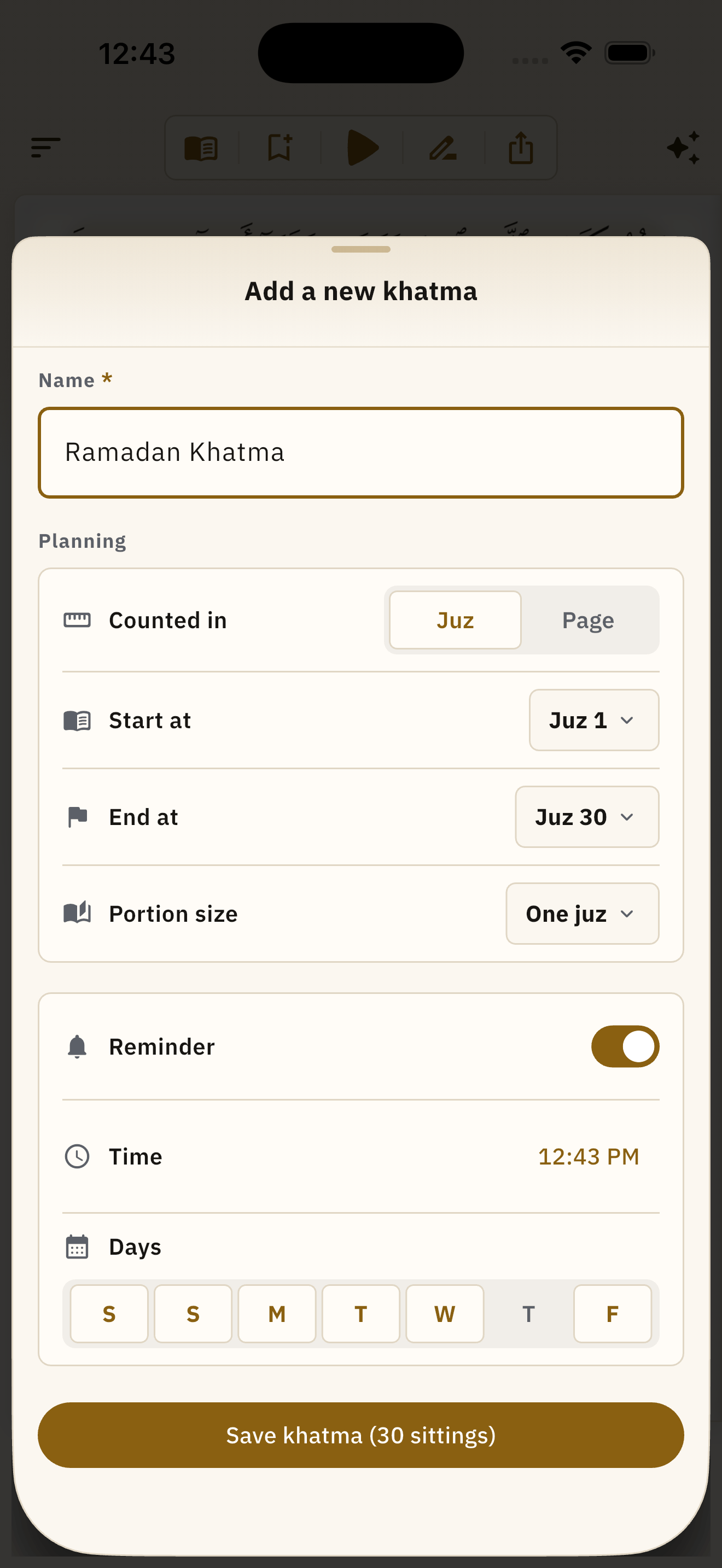
Name the khatma, choose its range — from where to where, by juz or by page — and the size of the daily portion by juz, hizb, quarter or a number of pages. The app cuts the range into one dated session per day and puts a progress card on the board.
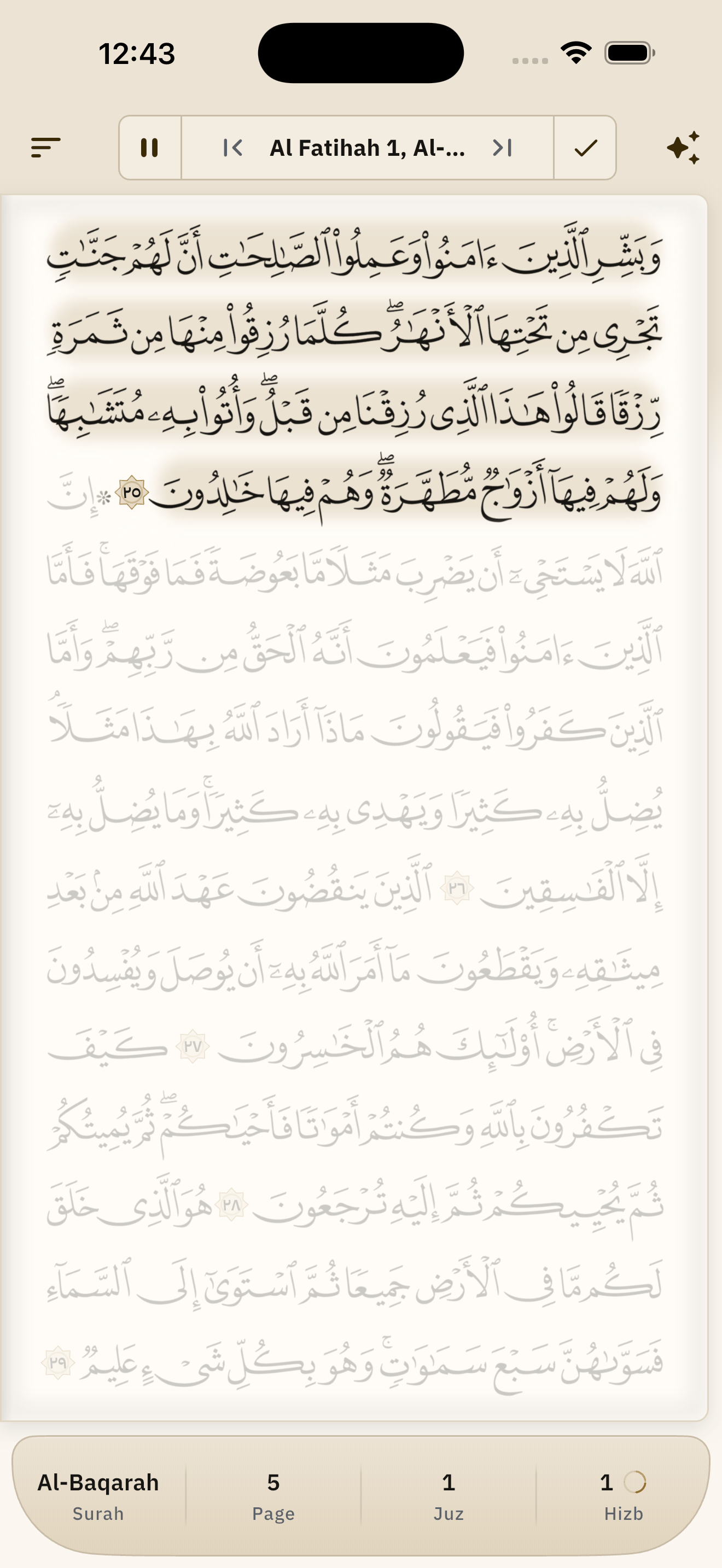
- Today's portion in full ink
- Anything outside today's portion fades on the page itself, so you can see where to stop before you begin.
- It follows your pace
- Finish early or fall behind and the remaining sessions are re-dated from today.
- A reminder on your own clock
- “Today's portion”, at the time you choose and on the days you choose.
And the whole day around the mushaf
The board you open on, your prayer times, your qibla and your Islamic year — every one of them worked out inside your own device.
A board you arrange yourself
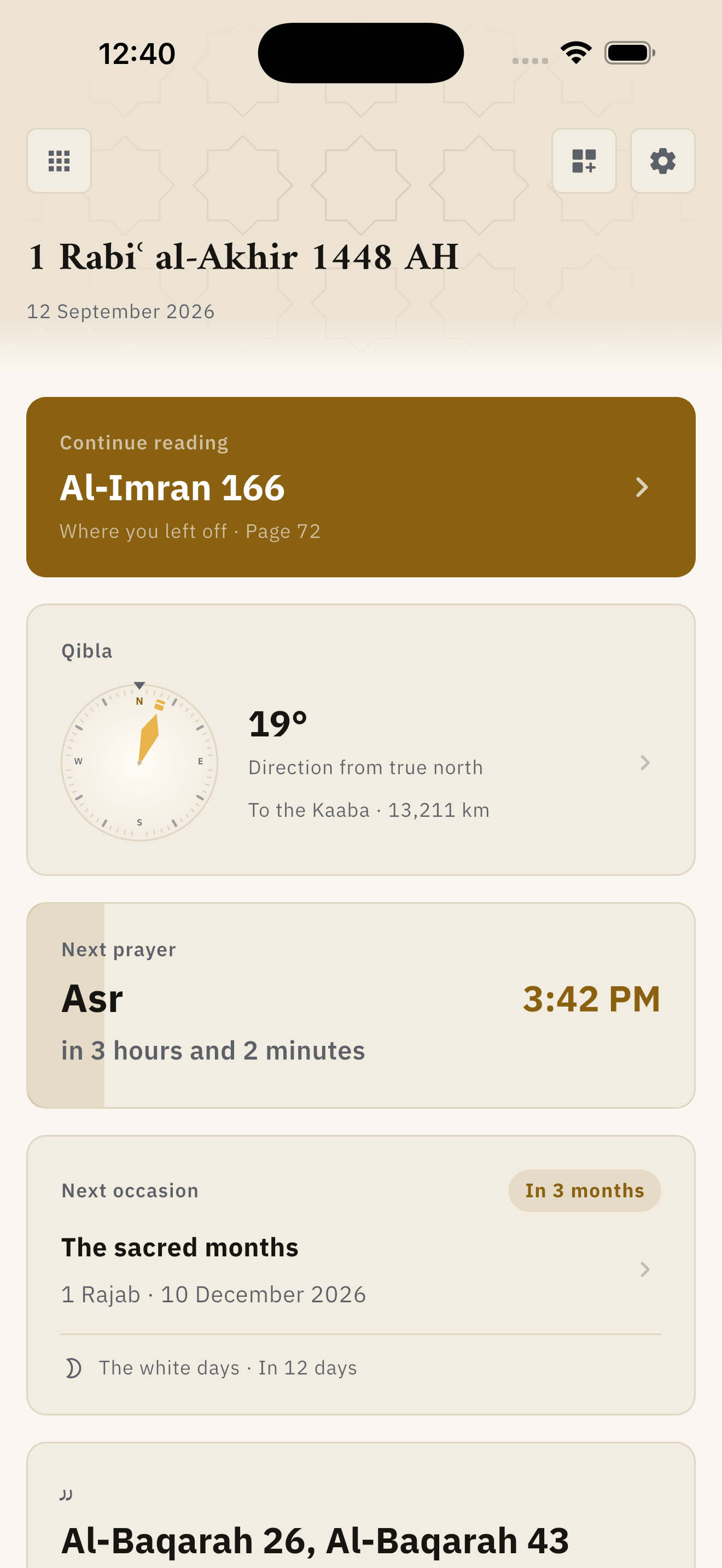
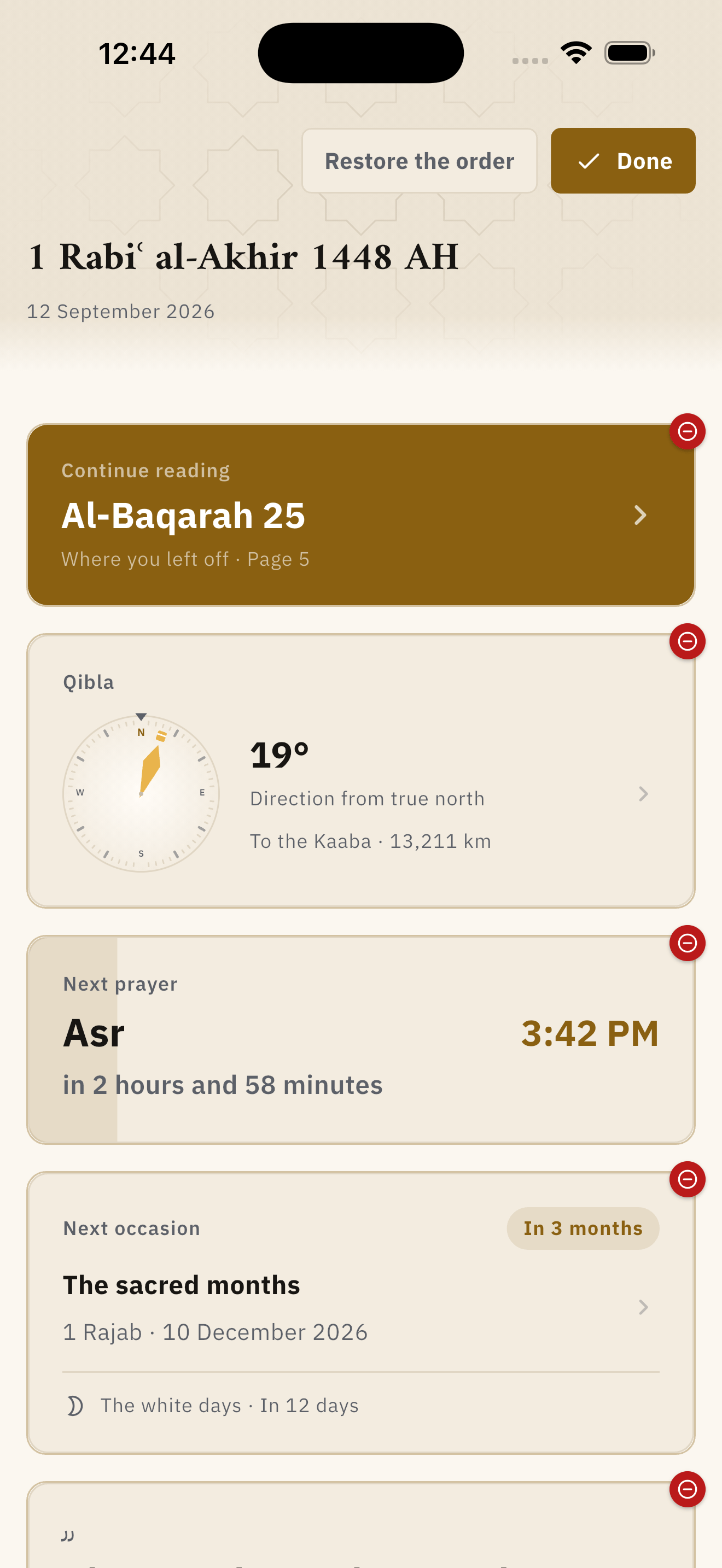
It opens on the Islamic date, then a card that takes you back to where you left the mushaf, then the qibla, then the next prayer with a countdown to it, then the next occasion in the Islamic calendar. Every card is also the door into that part of the app.
- Continue reading
- Qibla
- Next prayer
- Next occasion
Press the arrange button: drag the cards where you want them, hide the ones you do not, and one press puts them all back.
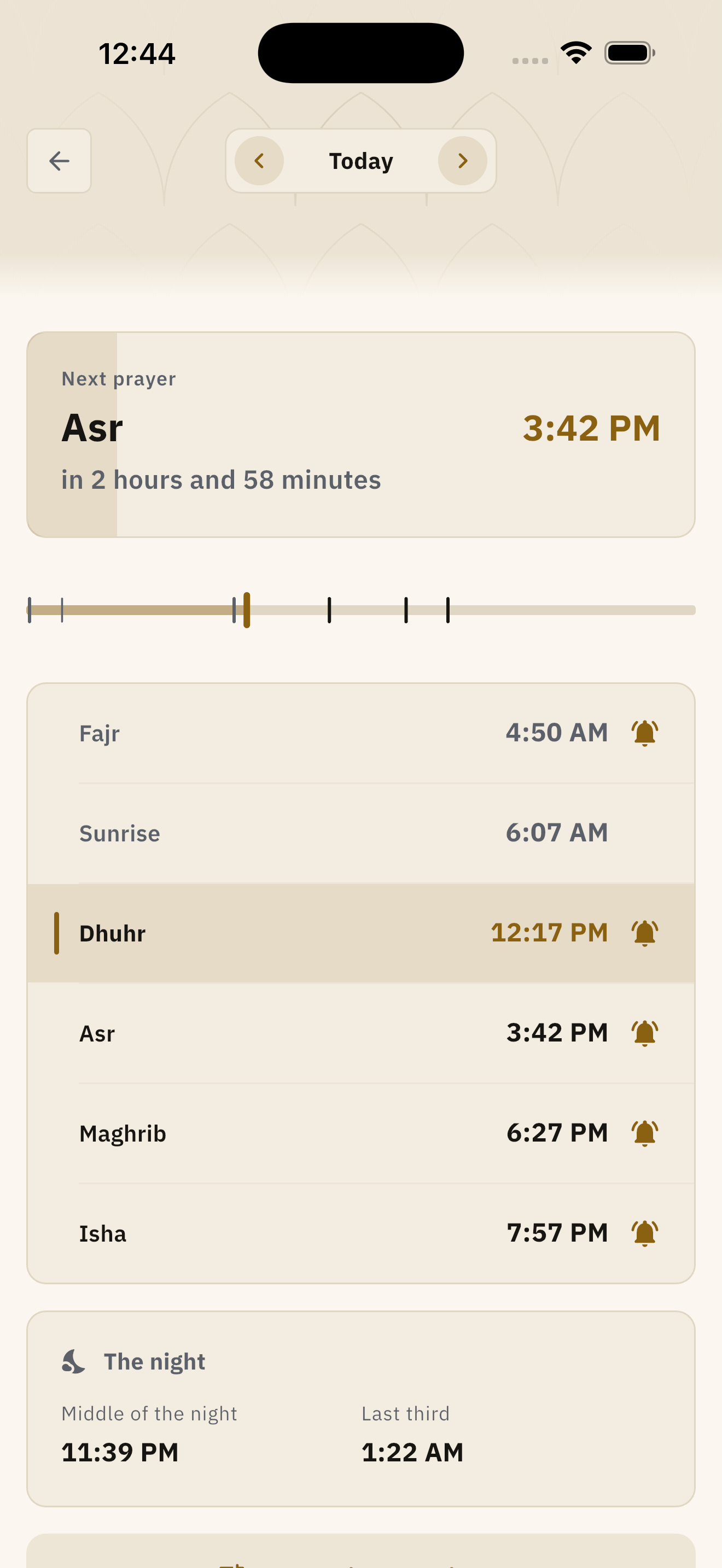
Six times a day, twenty-three methods
Fajr, sunrise, dhuhr, asr, maghrib and isha, worked out from your place inside the device, with a bar showing the shape of the whole day, the middle and last third of the night, an adhan from twelve voices, and a per-prayer adjustment in minutes to match your own mosque.
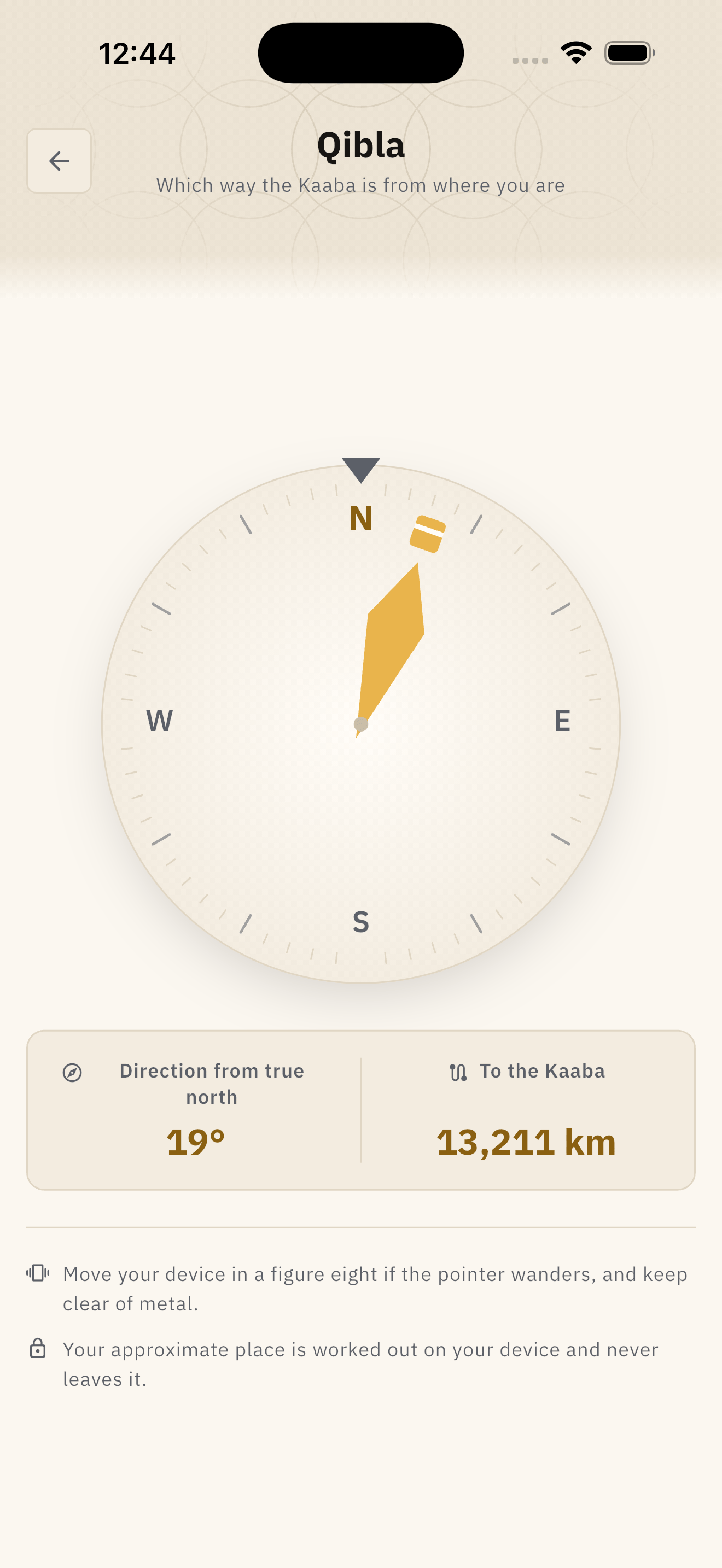
A live compass to the Kaaba
It tells you to turn left or turn right — with the bearing from true north after magnetic declination is corrected for, and the distance in kilometres. Your position never leaves your device.
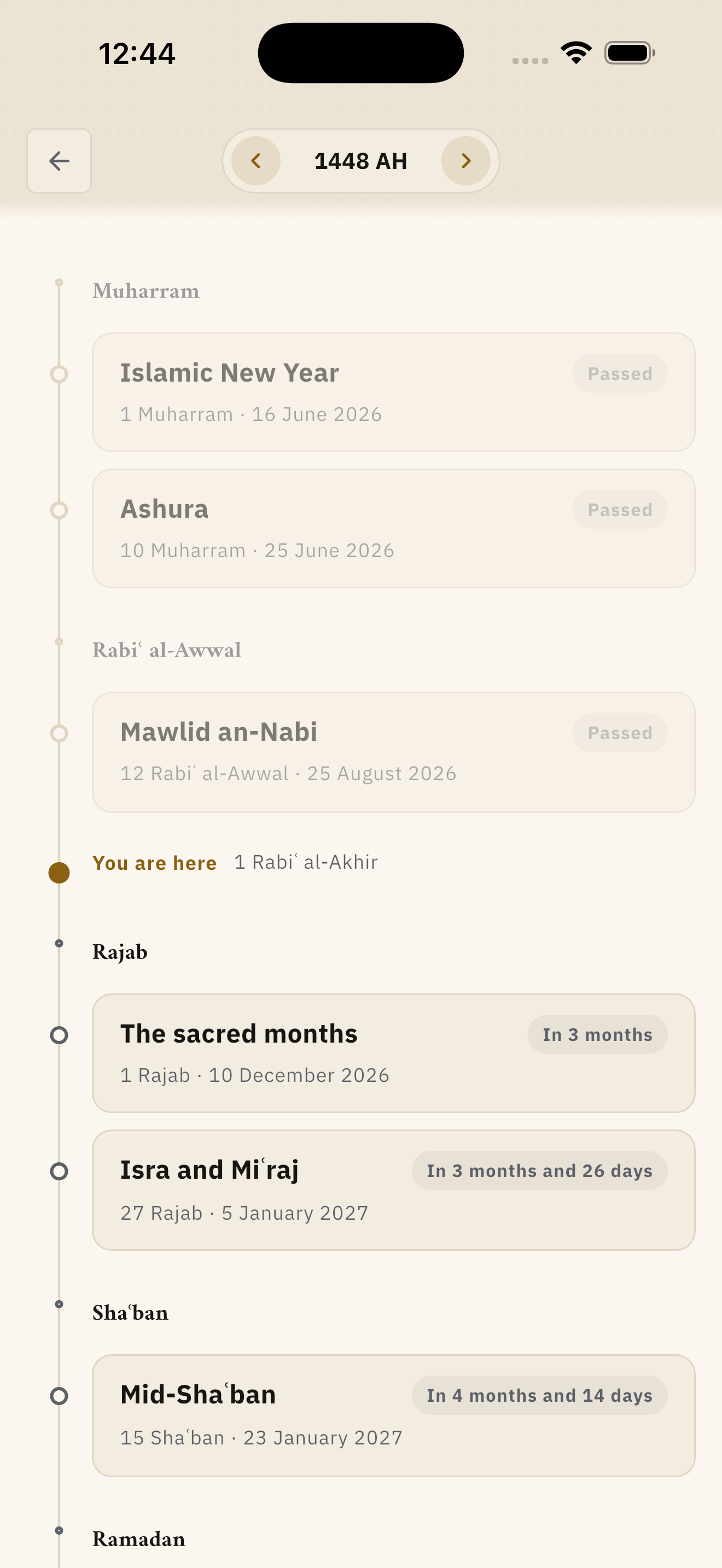
The Islamic year laid out ahead of you
Twelve occasions from Ashura to the Day of Arafah, the white days of every month, a countdown to each of them, and today marked in its place among them.
And five ways to reach a verse
By your voice, by surah, by juz, by hizb and its quarters, or by a ruler that crosses the whole mushaf.
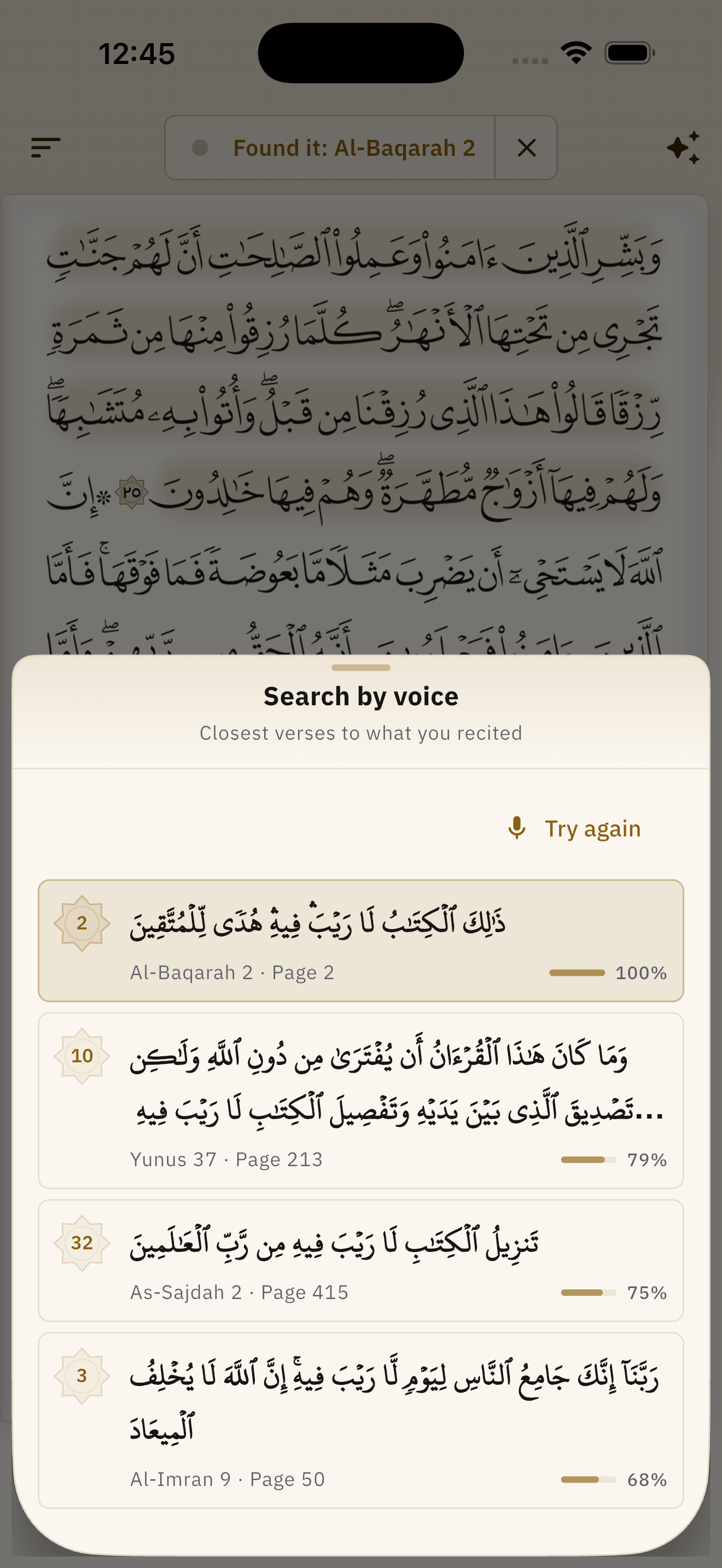
Find it by reciting it
Recite a few words of any verse and it offers the closest verses with a score for each, rather than guessing. This too runs inside your device.
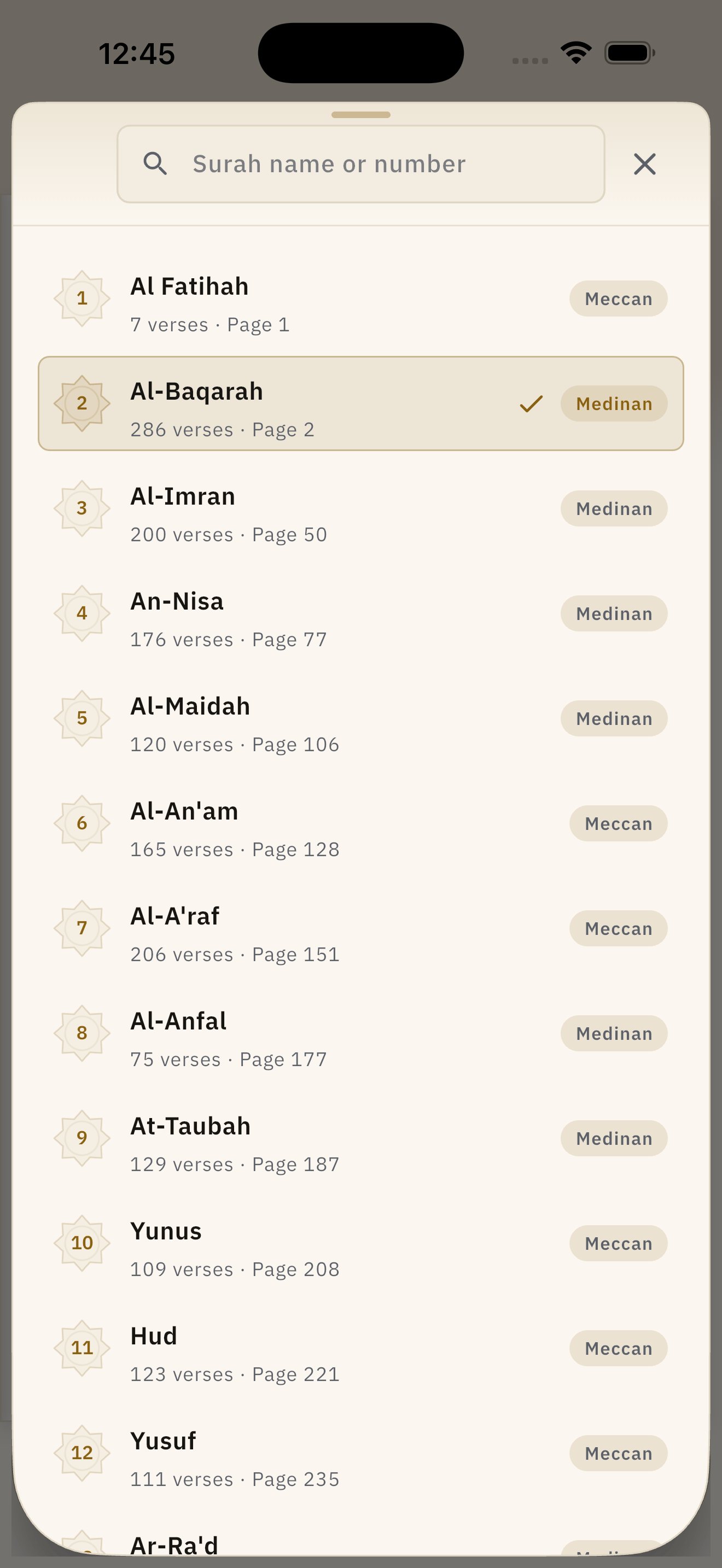
One hundred and fourteen surahs
Each with its number, its verse count, its page, and whether it is Meccan or Medinan. The search forgives spelling, and a number finds a surah as readily as a name.
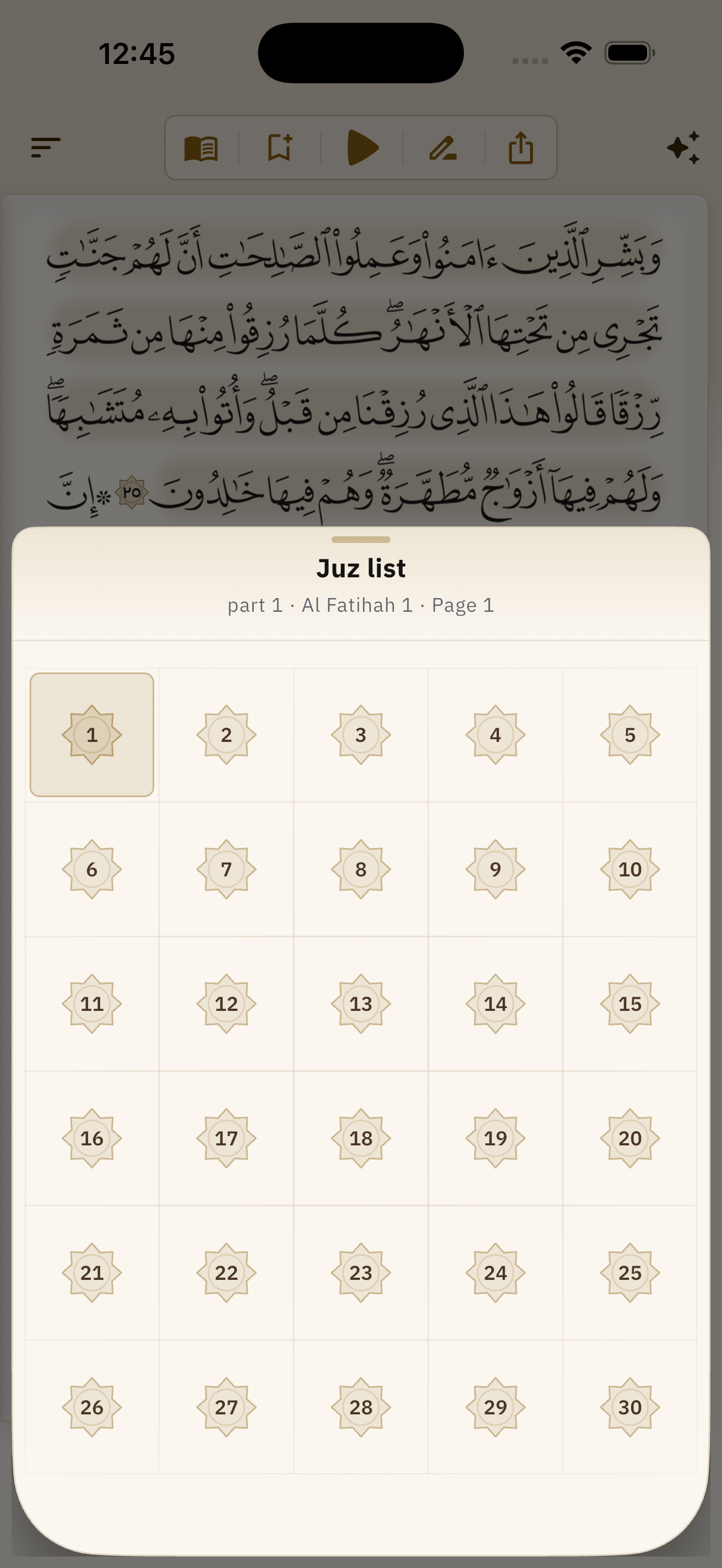
Thirty juz
One grid you take in at a glance, with the juz you are in marked among them.
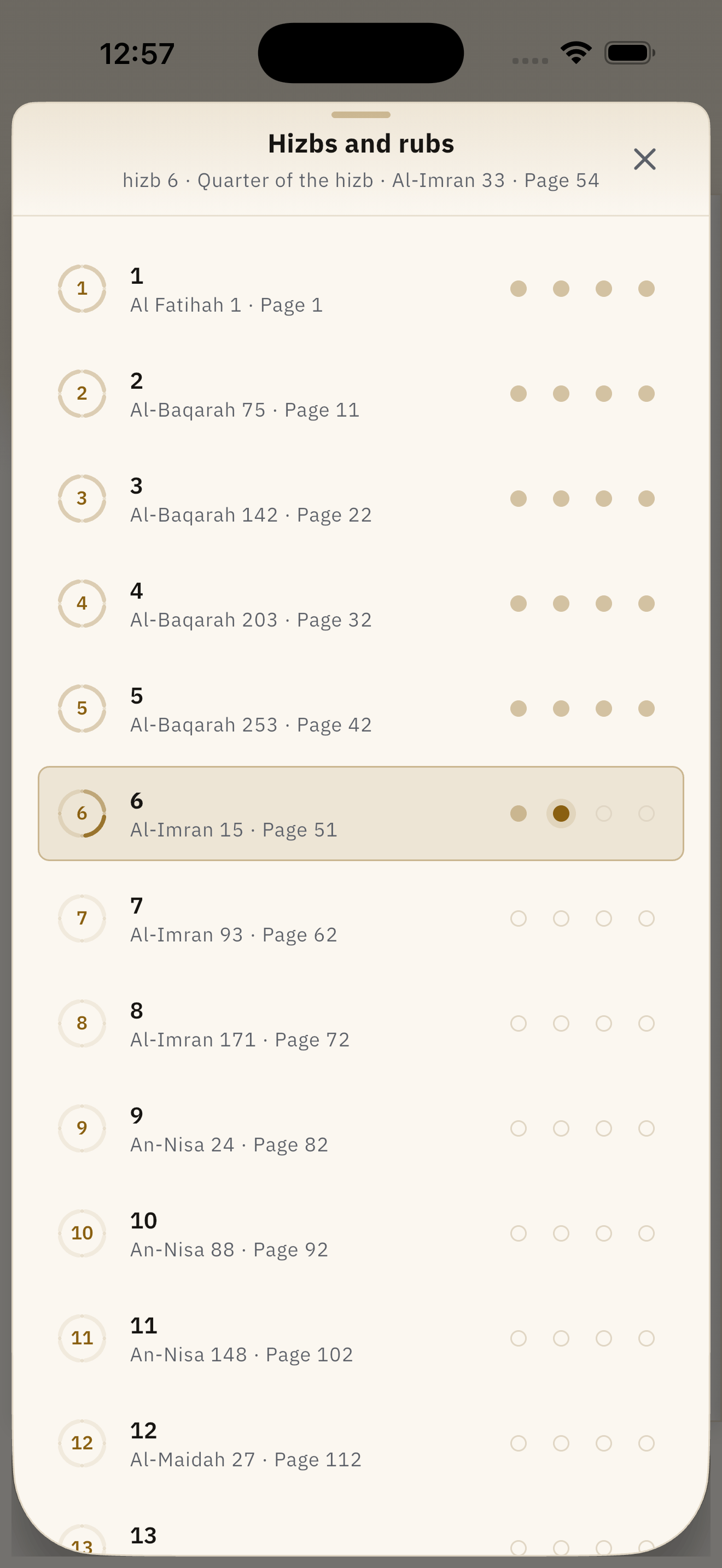
Sixty hizbs and their quarters
Each hizb carries its four quarters as dots, so you can see how far into the current one you have come.
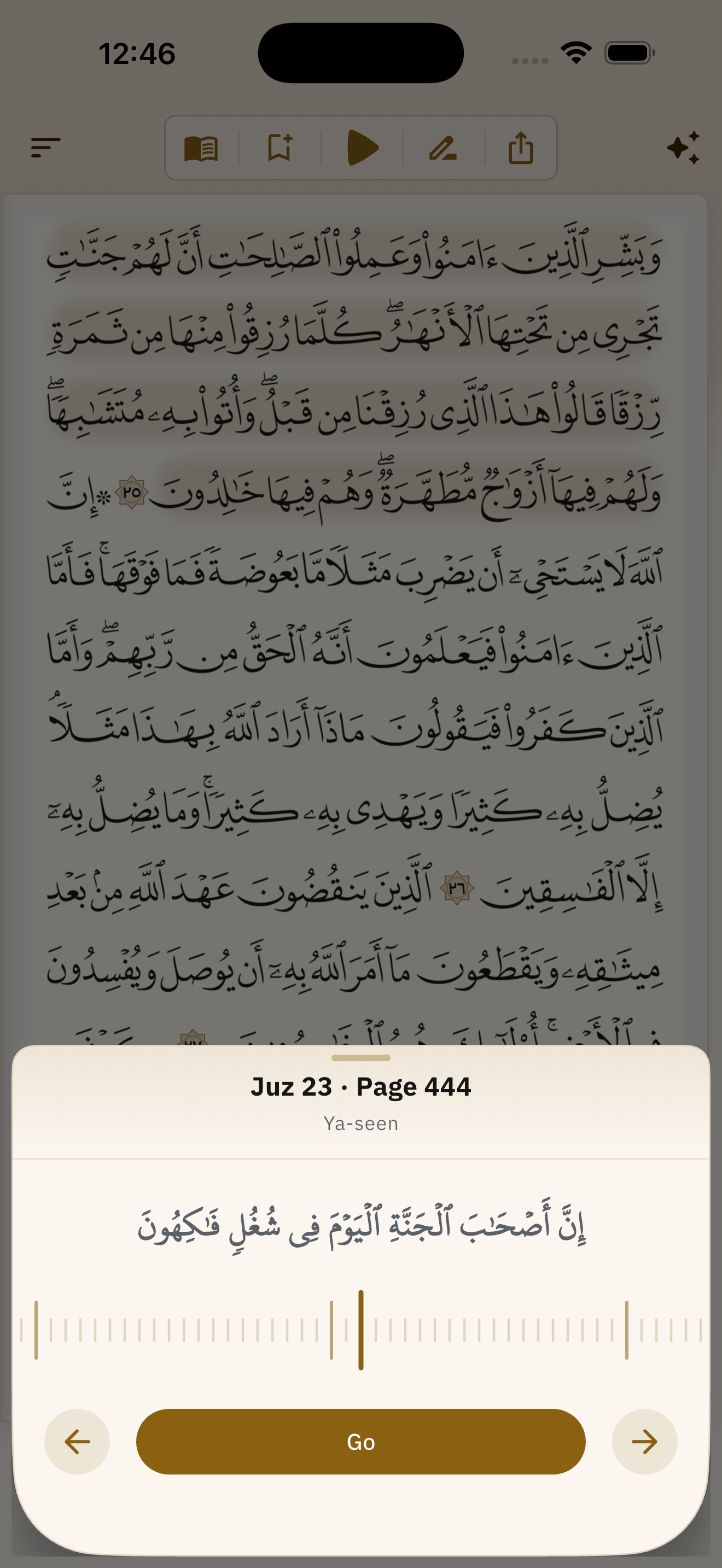
A ruler, not a list
The page picker is a ruler you drag, crossing the whole mushaf in one movement, with a preview of the page as you go and the juz boundaries standing proud as its marks.
And what you leave on the page
Two bookmarks, notes at the verses, and verses passed on exactly as they are printed.
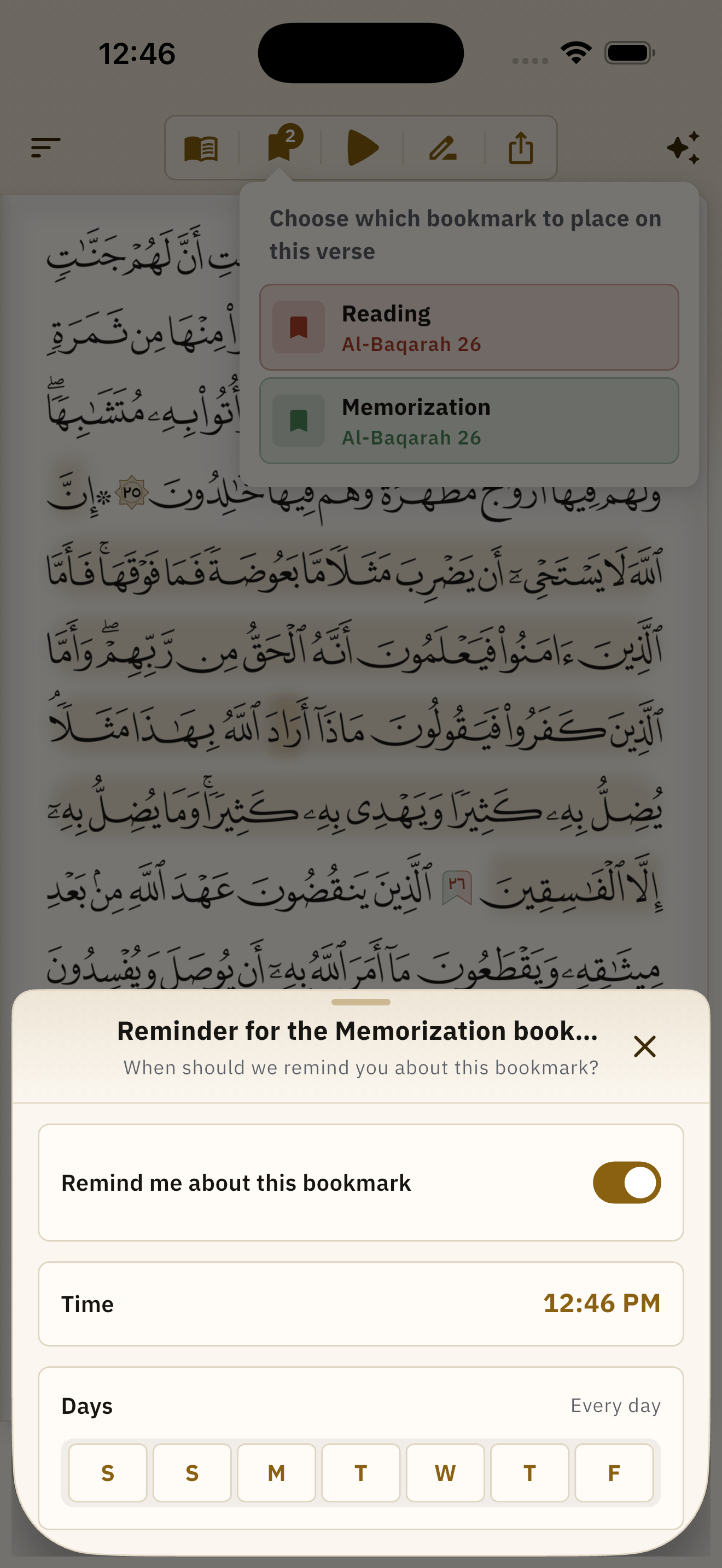
Two bookmarks, notes, and a reminder
One bookmark for reading and one for memorising, each a coloured flag on the page itself, and a note written at a verse or at a single word of it. Then choose an hour and days of the week, and the phone reminds you where you stopped even if the app has been closed since.
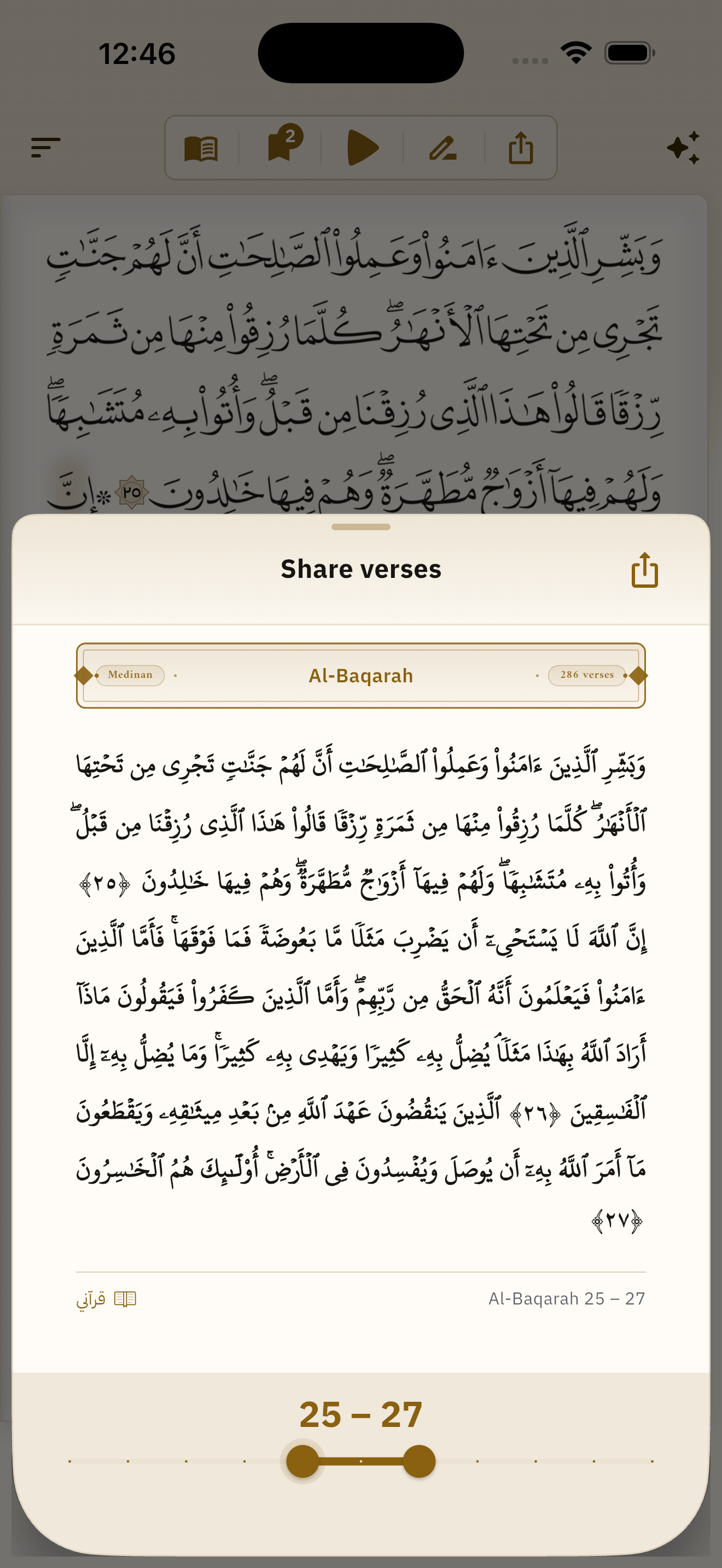
Share the verses as they are printed
As a picture — the verses on a card in the mushaf's own script, with the surah band and the verse numbers — or as text to paste and search. A slider chooses from which verse to which.
Free, and staying free
No purchase, no subscription, no paywalled feature, no advertising. This is not a launch promotion: the speech recogniser at the centre of the app is licensed on the condition that whatever ships it never charges. It is a commitment the software is built on.
- No purchase and no in-app purchase
- No subscription
- No feature behind a paywall
- No advertising, ever
Open it, and read
Free, offline, and yours. Android, iPhone and Mac today; Windows is on the way.